
WordPop
A writer's dictionary for your Mac. Select a word in any app and press ⌃⌥⌘D. Then put a better word in place with one key.
The editor was meticulous about every comma.
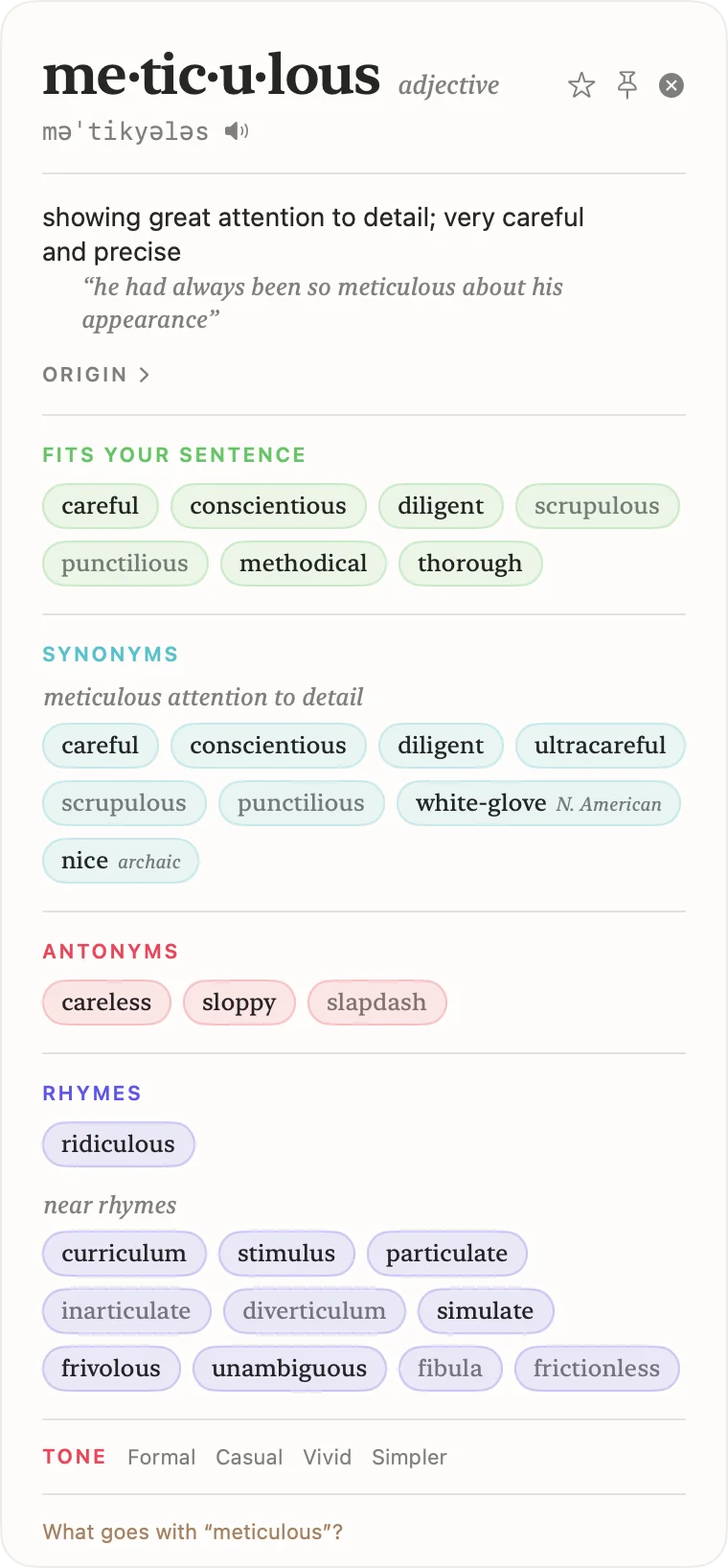
me·tic·u·lous adjective
məˈtikyələs
showing great attention to detail; very careful and precise
Fits your sentence
Click a word to put it in the sentence.
Quick Search · ⌃⌥⌘S
Find the word on the tip of your tongue
Type a word, a pattern or a meaning. Use * for any letters and ? for one letter. Try con*, ?ight or very happy.
This demo searches about sixty words. WordPop searches the full dictionaries on your Mac, offline.
Notes on a passage
A second reader for your draft
Select eight or more words in any app, and WordPop gives you notes instead of a definition. Paste your own paragraph here to try the same checks.
Long sentences are underlined, adverbs are marked, possible passive voice is in italics, and repeated words are tinted. The demo uses simple rules; WordPop uses the language tools in macOS.
Look up · ⌃⌥⌘D
Everything about a word, at your cursor
- Replace with one key. Press ⌥Return on a synonym. Capitals, punctuation and word form are kept: "ran" becomes "sprinted".
- Fits your sentence. With Apple Intelligence, WordPop reads your sentence and shows the synonyms for your meaning first.
- Rhymes for your line. Grouped by syllables, with near rhymes for hard words like "orange".
- Tone. One click lists synonyms that are more formal, more casual, more vivid or simpler.
- Starred words. Keep the words you like, then practise them in a short quiz.
Everything runs offline, from the dictionaries already on your Mac. No accounts, no analytics, no internet.
Install WordPop
- Download the zip. Double-click it to unzip it.
- Move WordPop to your Applications folder and open it. Its icon appears in the menu bar.
- When WordPop asks, turn it on in System Settings › Privacy & Security › Accessibility. WordPop uses this permission only to read the text you select.
- Select a word in any app and press ⌃⌥⌘D.
You can change both shortcuts in Preferences, from the menu bar icon. The Apple Intelligence features need macOS 26 or later.