
maclink
A link to anything on your Mac. Press ⌃⌥⌘L on a file, an email or a web page, and paste a link that takes you straight back to it. Made for Emacs org-mode, and useful everywhere.
~/Projects/Q4
- Launch plan.md
- Q4 budget.numbers
- Interview notes.txt
Priya Shah Today, 9:12
Re: Launch date
Friday works for the design team. I will send the final screens on Thursday.
orgmode.org
Org mode for GNU Emacs
Your life in plain text.
* Launch
** TODO Confirm the date with design
Capture an item on the left. Its link appears here.
Click a link in the buffer to open it, like C-c C-o. Then rename and move the file, and open its link again.
Links that last
Move it. Rename it. Still there.
A file link holds a macOS bookmark, not a path. When a bookmark cannot follow the file, maclink tries the next step, and only asks you at the end.
- Bookmark Follows renames and moves, like an alias.
- Spotlight Searches by name and size.
- You pick Choose the file, and the link is fixed for good.
Emacs first
No package needed
Org opens unknown links with browse-url, which on a Mac calls open, which sends maclink:// links to maclink. So C-c C-o just works.
For nicer links and completion, add the small maclink.el from the repository. A read-only maclink CLI and a Raycast extension use the same links.
;; In an org file
* TODO Reply to Priya
  [[maclink://open/6F2C…][Re: Launch date]]

$ maclink latest --org
[[maclink://open/6F2C…][Re: Launch date]]

$ maclink search budget
maclink://open/91AE…  Q4 budget.numbers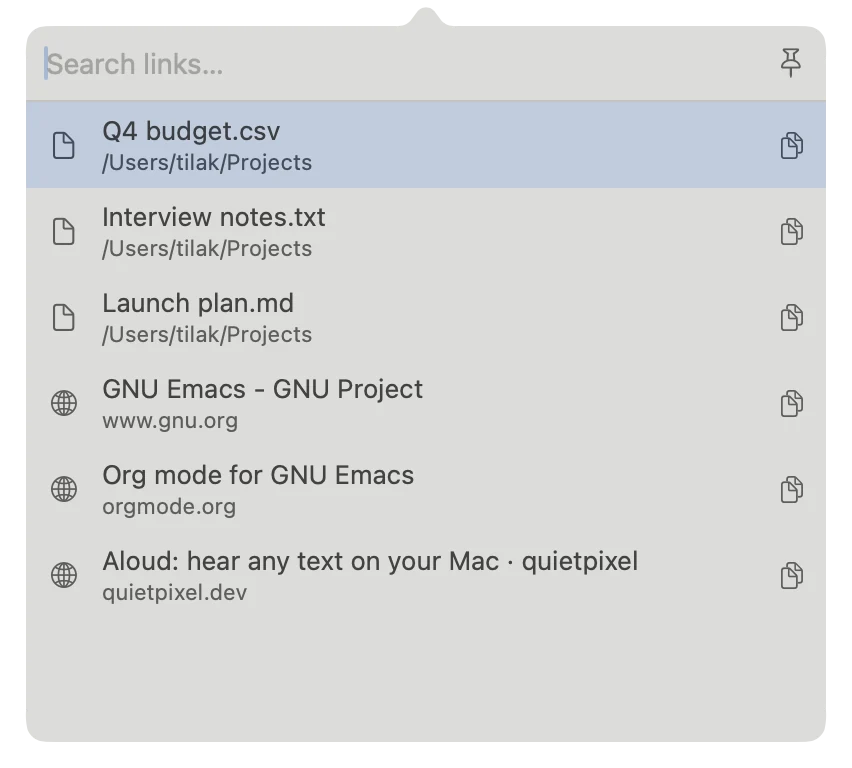
Search
Every link, one shortcut away
Press ⌃⌥⌘K to search everything you captured. Copy or open a link, archive it with ⌘⌫, or pin the window to work through several.
Your links stay in a plain SQLite file on your Mac. No cloud, no account.
Install maclink
- Download the disk image. Open it and drag maclink to your Applications folder.
- Open maclink. It is not notarized by Apple, so macOS stops it the first time. Close the warning.
- Open System Settings › Privacy & Security, find the message about maclink, and click Open Anyway. You do this only once.
- Select a file in Finder and press ⌃⌥⌘L. The first time you use Finder, Mail, Safari or another app, macOS asks for permission. maclink uses it only to read what is in front of you.
maclink lives in the menu bar. Change both shortcuts in Settings. Future versions use the same signature, so your permissions stay after an update.